
How Taptics works
Pick your stand to see what we need from you, what happens when it arrives and what your customers see.
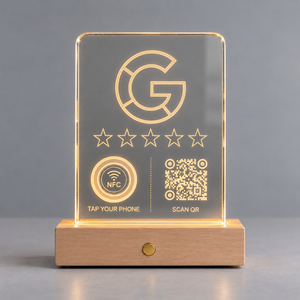
Taptics Google
More Google reviews: customers tap their phone or scan the QR code and leave a review on the spot.
Your business on Google (its name and town so we can find it). That’s all.
- 1When you buy
On the product page or in “Choose your stands”, search for your business under “Link your stand”. It’s optional: if you do it, it arrives ready to use. If you’re buying several for different locations, you can pick a business for each stand.
- 2When it arrives
If you already linked it, just switch it on and place it. If not, tap your phone on the NFC area or scan the QR code, search for your business, enter your email, press “Activate plate” and type the 6-digit code we email you. It takes a minute.
- 3Your customers
They tap their phone (NFC) or scan the QR code and your Google listing opens, ready for the review. Nothing to download, on iPhone and Android.
- 4Afterwards
In your dashboard you see how often it’s used and can change which business it opens. Optional: with “Rating first”, low ratings reach you as a private message (customers can always post on Google too).

Taptics Instagram
More followers: they tap their phone or scan the QR code and your Instagram profile opens.
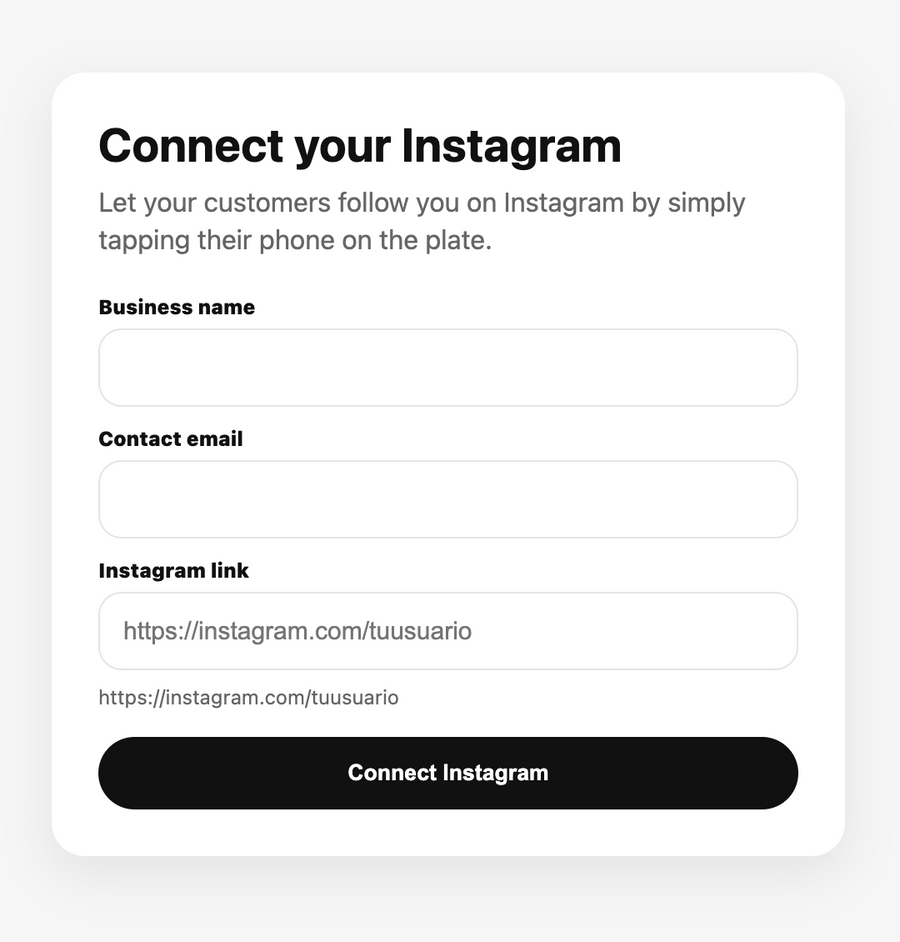
Your Instagram username, for example @yourbusiness.
- 1When you buy
Enter your username under “Link your stand”, on the product page or in “Choose your stands”. It’s optional: if you do it, it arrives ready to use.
- 2When it arrives
If you didn’t, tap your phone or scan the QR code, enter your username and email, press “Activate plate” and type the 6-digit code we email you. Test it: your profile will open.
- 3Your customers
They tap their phone or scan the QR code and land straight on your profile to follow you.
- 4Afterwards
From your dashboard you can change the profile any time and see how often it’s used.

Taptics WiFi
Customers scan the QR code and join your WiFi without asking for the password.
Your WiFi network name, security type and password, before you buy. They’re engraved in the QR code, so this is required.
- 1When you buy
Type the details exactly as they appear on your phone or the router label. We show the QR code on screen: scan it with your phone at your venue and, if it connects, the stand will work too. Tick the confirmation box and add it to your cart.
- 2When it arrives
It arrives ready: nothing to activate and no account to create. If you made a typo, reply to the confirmation email before we engrave it.
- 3Your customers
They open the camera, point it at the QR code and tap “Join”. Works on iPhone (iOS 11 or later) and Android (10 or later; older ones with Google Lens). If you asked for it, the network name and password are engraved too.
- 4Afterwards
The QR code holds the network and password: if you change them, the stand stops connecting and you’ll need a new one. We recommend a guest network with a fixed password. The WiFi stand has no NFC (iPhones can’t join WiFi via NFC) and needs no dashboard.

Taptics with your logo
Your logo engraved and your own page with your buttons: Google reviews, menu or prices, WhatsApp, WiFi and more.
Your logo (good quality is best), the buttons you want on your page and the stand’s tagline. It’s all done in the designer on its product page.
- 1When you buy
In “Design your stand and your page” you upload your logo, choose colours, buttons, your Google business and the tagline, and see the result instantly. Then the buy button adds it to your cart with your other stands.
- 2When it arrives
Before engraving, our team checks your logo and adjusts size, position and contrast. It arrives ready to use, already linked to your page.
- 3Your customers
They tap their phone or scan the QR code and your page opens with your buttons.
- 4Afterwards
You can change the page any time from your dashboard (logo, colours, buttons). Once engraved, the stand itself can’t be changed.
For every stand
Hold the button on the base to switch it on or off, and tap it to change colour. It charges with the micro-USB cable included.
NFC and the QR code work even with the light off or a flat battery: the battery only powers the light.
Google, Instagram and logo stands are managed at app.taptics.eu (“My dashboard” in the menu) with the email from your order: we send you a code to log in, no password needed.
Mix any you like: 2 stands −€19.99, 3 −25%, 4 −30%, 5 or more −35%. They all count, including your logo stand.
FAQ
Do I need to install an app?
No. Neither you nor your customers: everything opens in the phone’s browser.
Do I have to activate it every time?
No. You set it up once and it stays ready for your customers.
What if I get the WiFi details wrong?
That’s why we show you the QR code before you buy, so you can test it. If there’s still a typo, reply to the confirmation email before we engrave the stand.
Need help?
Write to us from the Contact page and we’ll help.